Hosts that stay tidy
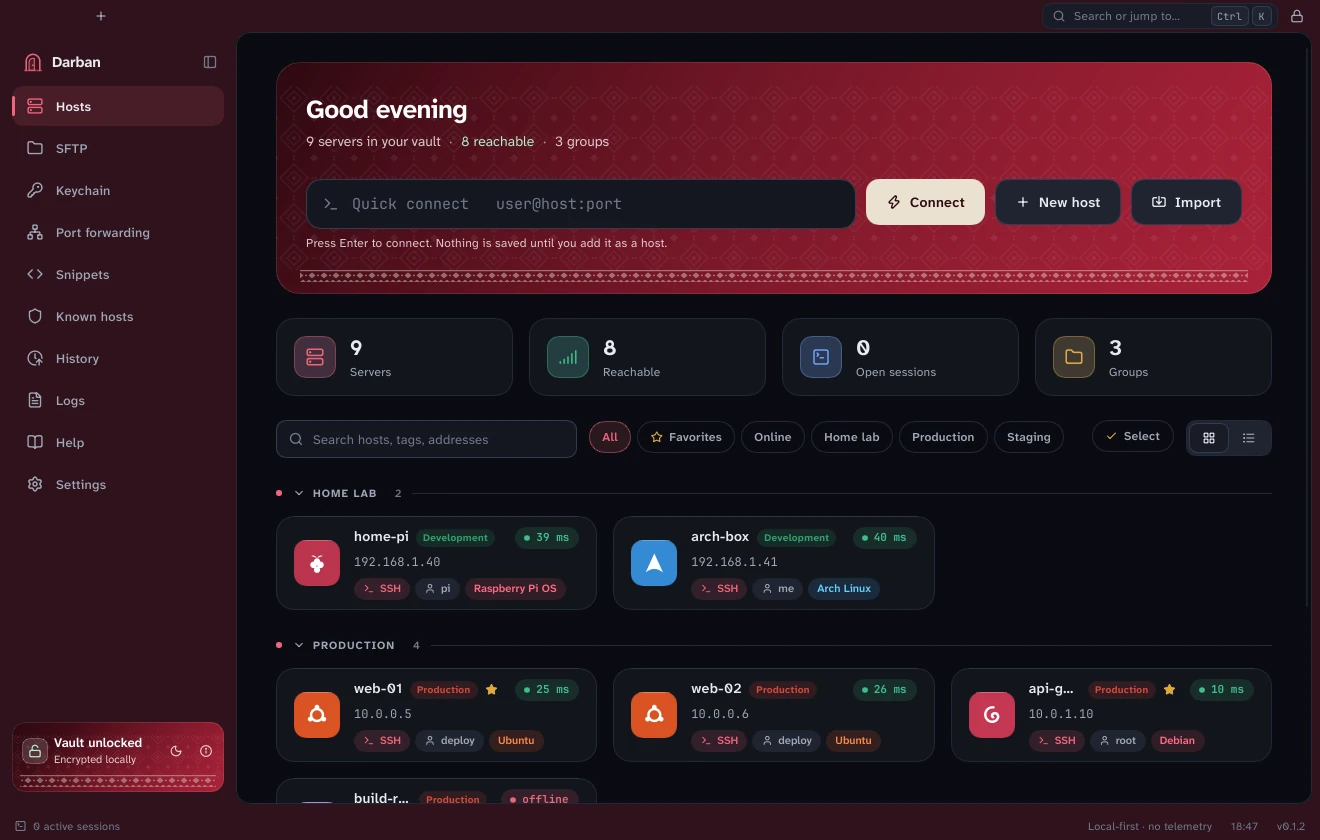
Groups, tags, environments and instant search. Import your ~/.ssh/config, or type user@host:port to connect once without saving anything.
A fast, native SSH, SFTP and remote-desktop client with an encrypted host manager. No Electron, no telemetry. Free to use today.
What it does
If you live in a terminal, move files around and now and then open a Windows desktop, Darban keeps all of it, and the logins that go with it, in one place on your own computer.
Groups, tags, environments and instant search. Import your ~/.ssh/config, or type user@host:port to connect once without saving anything.
Tabs and up to eight splits, nineteen colour schemes, any monospaced font with Nerd Font icons and emoji, and faint suggestions from your history. Drag a tab into its own window; change any shortcut.
Drag files between this computer and any server. Transfers resume, folders work, and a copy between two servers goes straight between them.
Local, remote and SOCKS forwarding. Reach a server through up to three jump hosts, with its key checked at every hop.
Open a Windows machine's desktop (RDP) in a tab right beside your terminals, with network-level authentication on.
Hosts, passwords and keys sit behind your master password. Generate keys, import OpenSSH, PEM and PuTTY files, and see which ones are weak or old.
Diagnose walks from your name lookup to the SSH banner and says in plain words what is wrong. An error guide is built in, offline.
Colour your environments. On Production, Darban asks before rm -rf, DROP DATABASE and other destructive commands, shows a risky paste before it goes in, and never trusts a server key without asking.
darban:// links
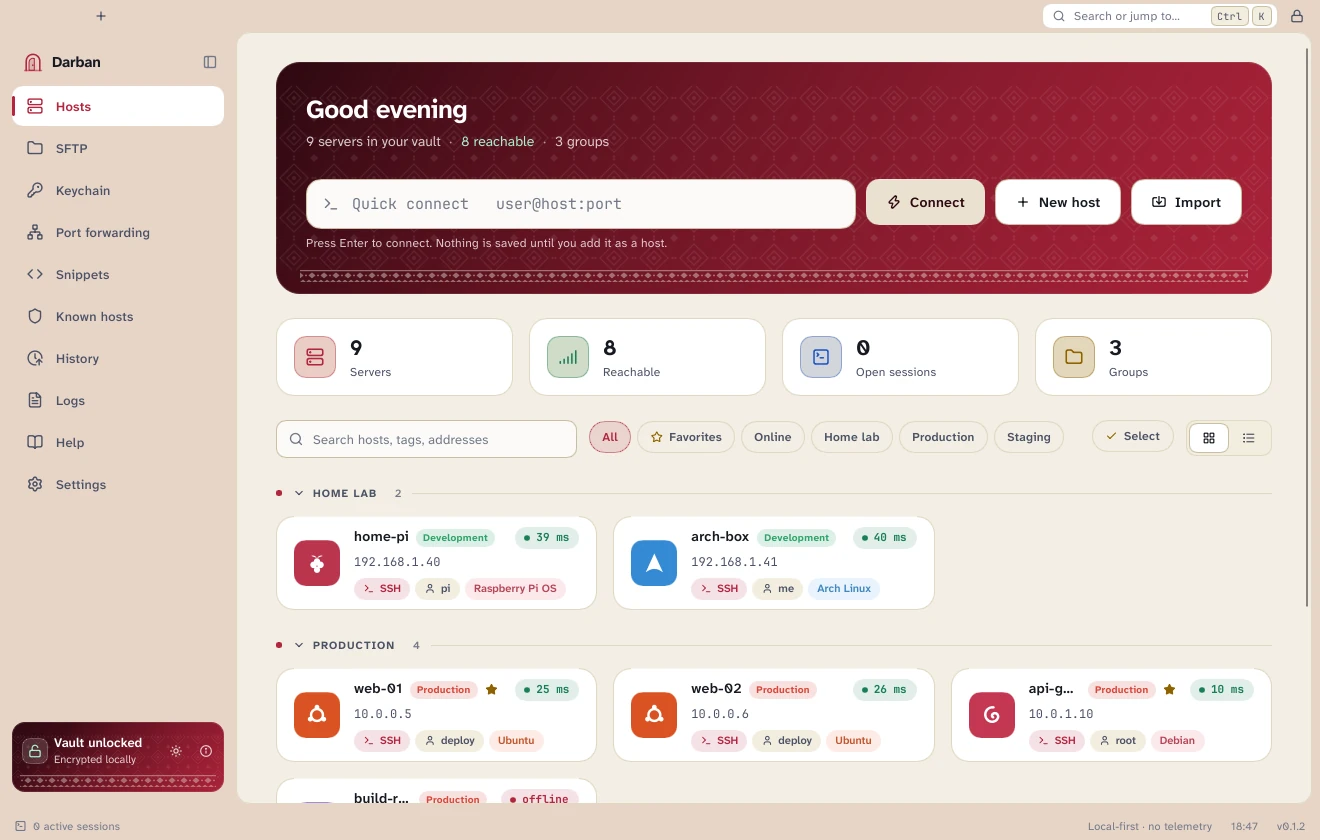
Light and dark themes
Six accent colours
Shortcuts you can change
Offline help, F1
Signed updates
Hosts
Open Darban and see what you have: which servers are reachable, how fast, and which are in Production. Search by name, tag or address, or filter by group.
Terminal
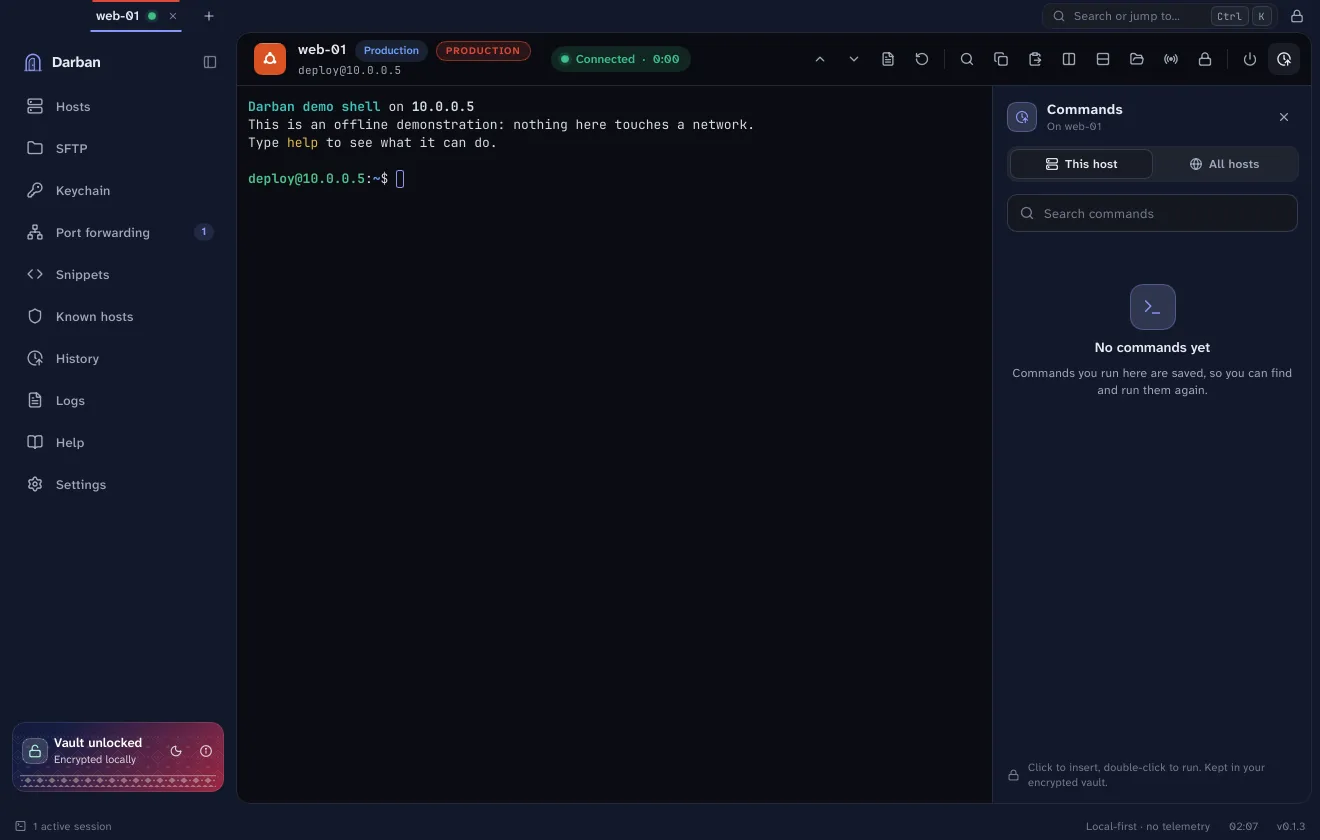
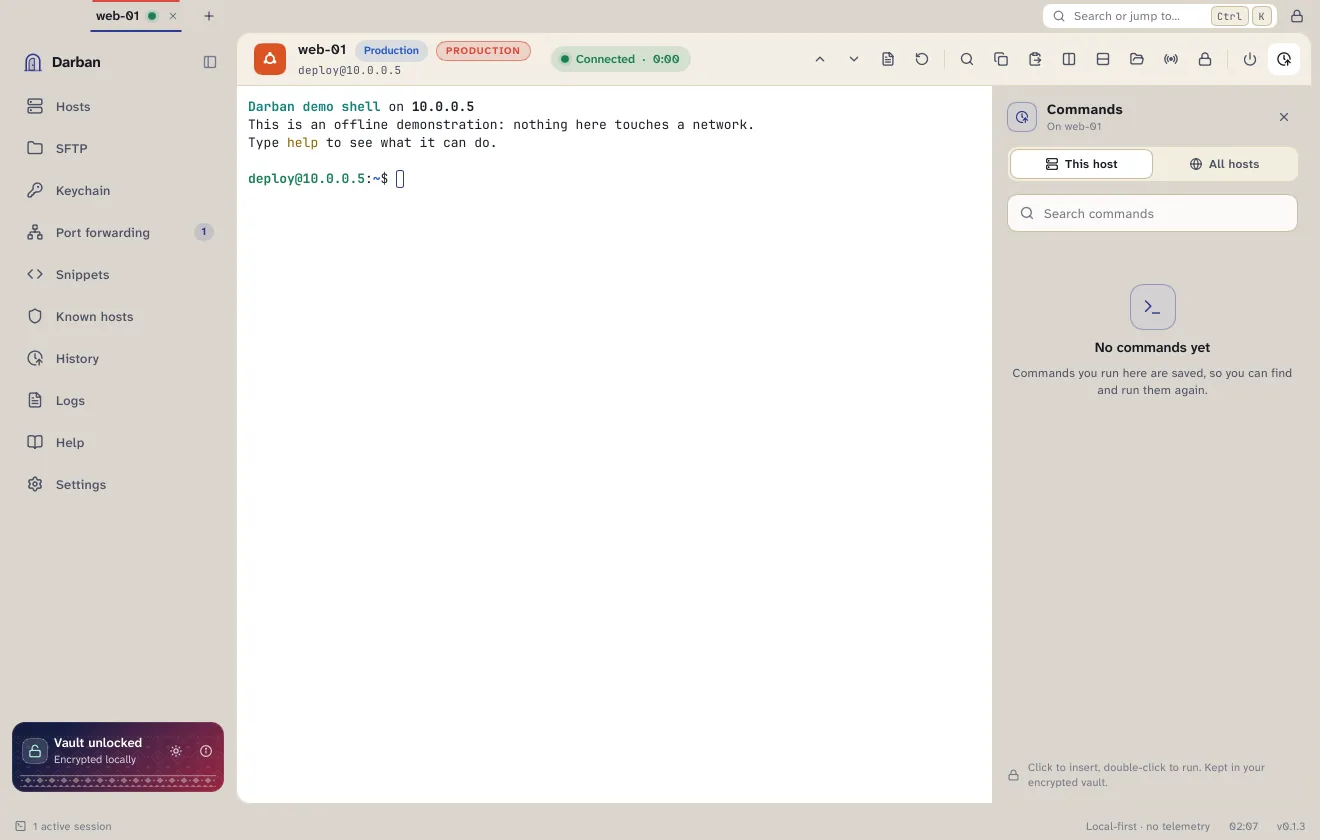
Every session opens in a tab with its status, latency and tools right above it. Split it, search what scrolled past, and keep the commands you run on each host one click away.
Snippets
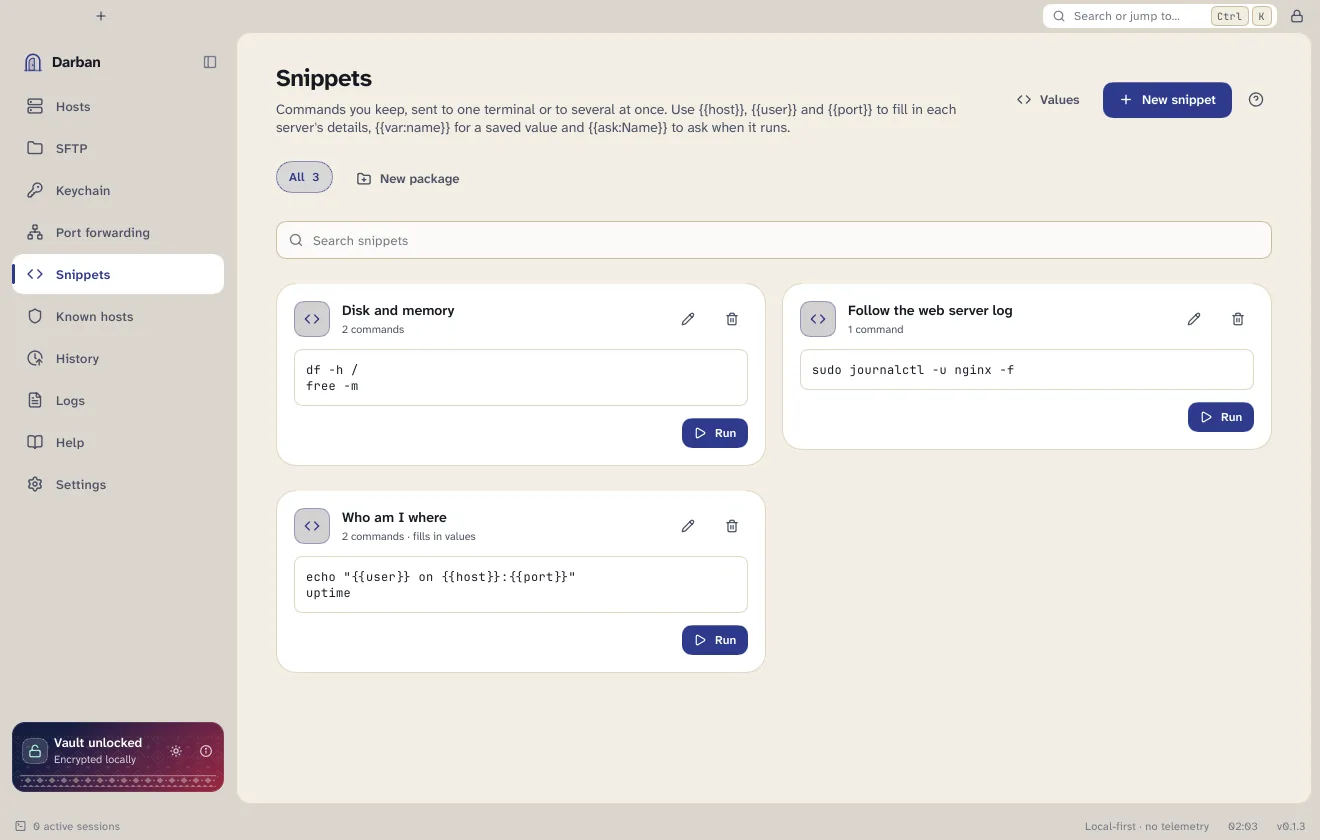
Keep the commands you use often and send them to one terminal or several at once. Variables fill in each server's details, so the same snippet works on every host.
{{var:region}} reads a value saved for a host, an environment or everywhere{{ask:Branch}} asks once, when the snippet runs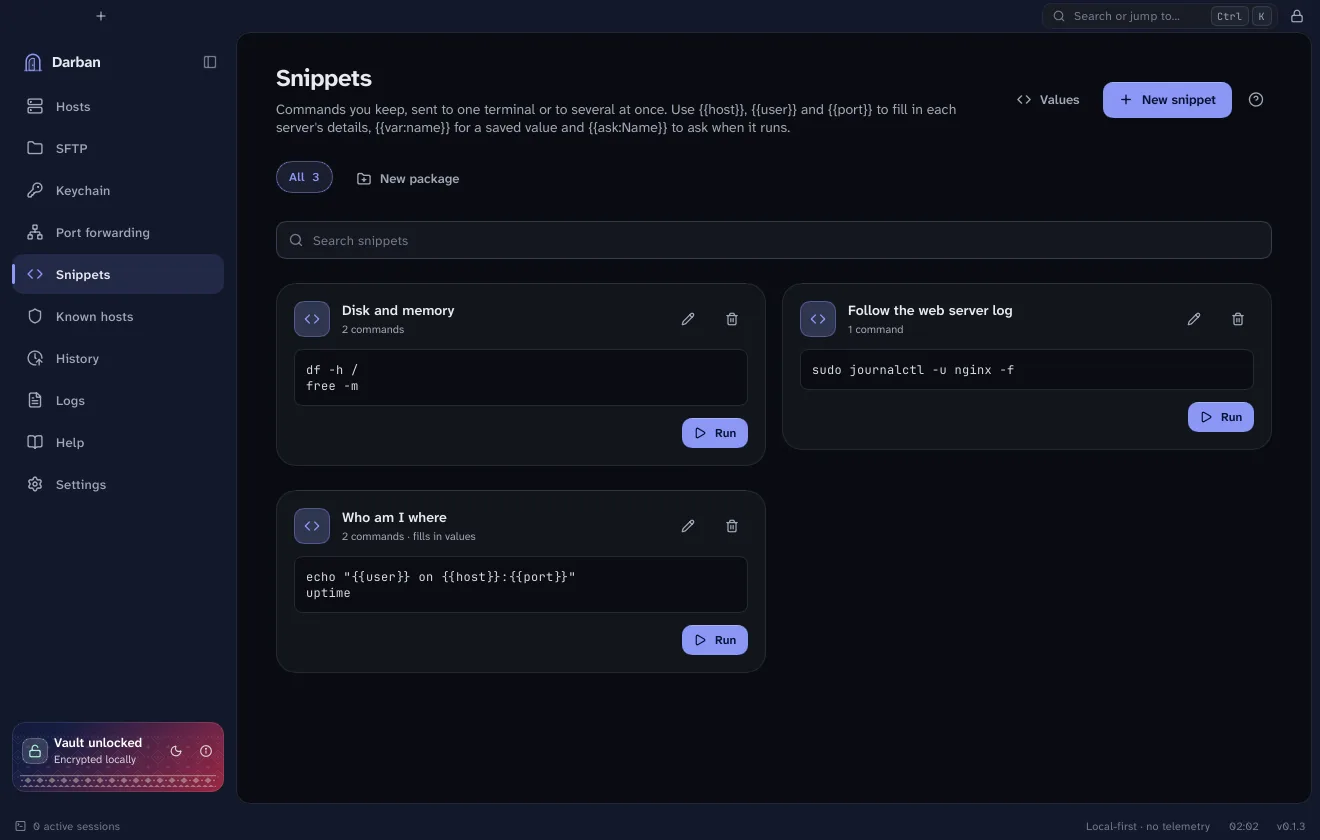
Tunnels
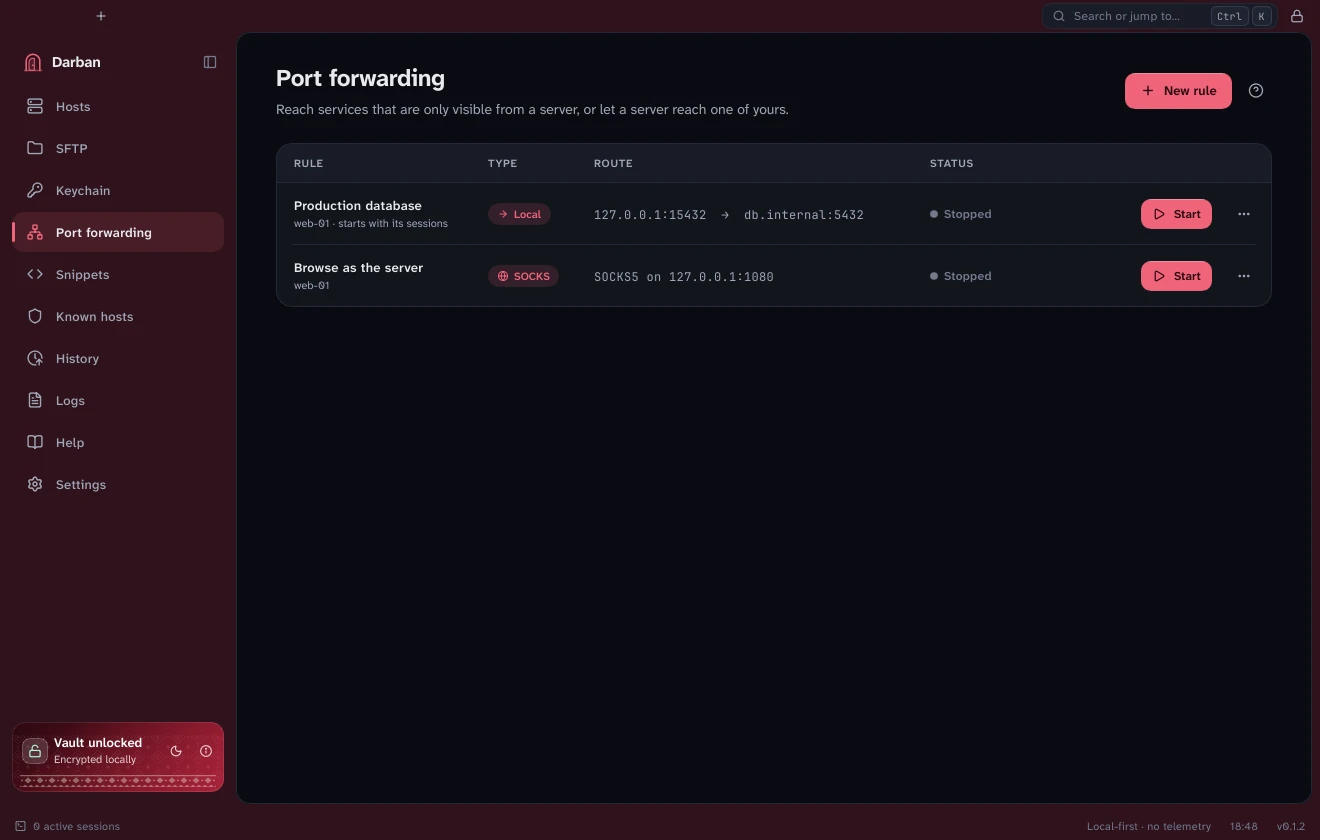
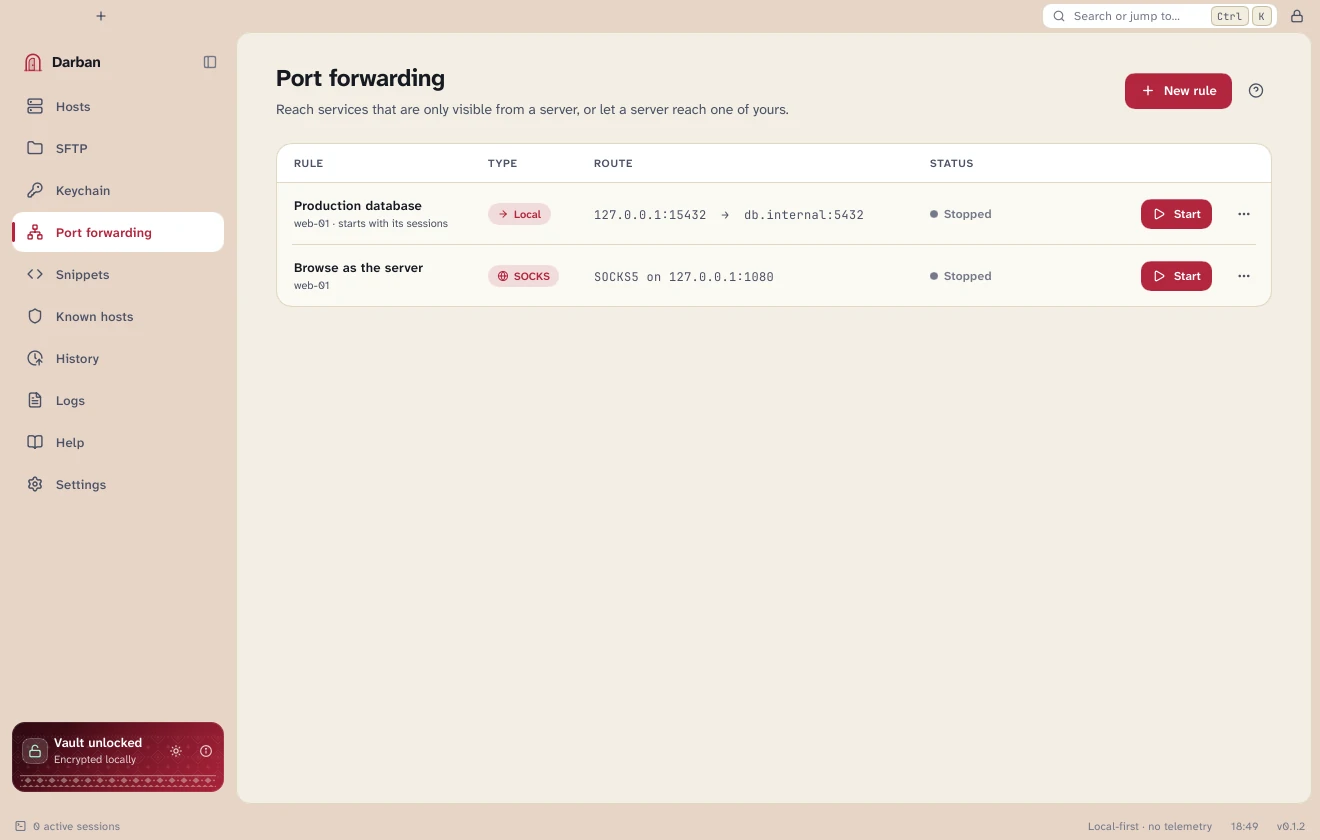
Save a rule once, such as a database on a private network or a SOCKS proxy through a server, and start it with a click. A rule can also start by itself whenever you open a session to its host.
Appearance
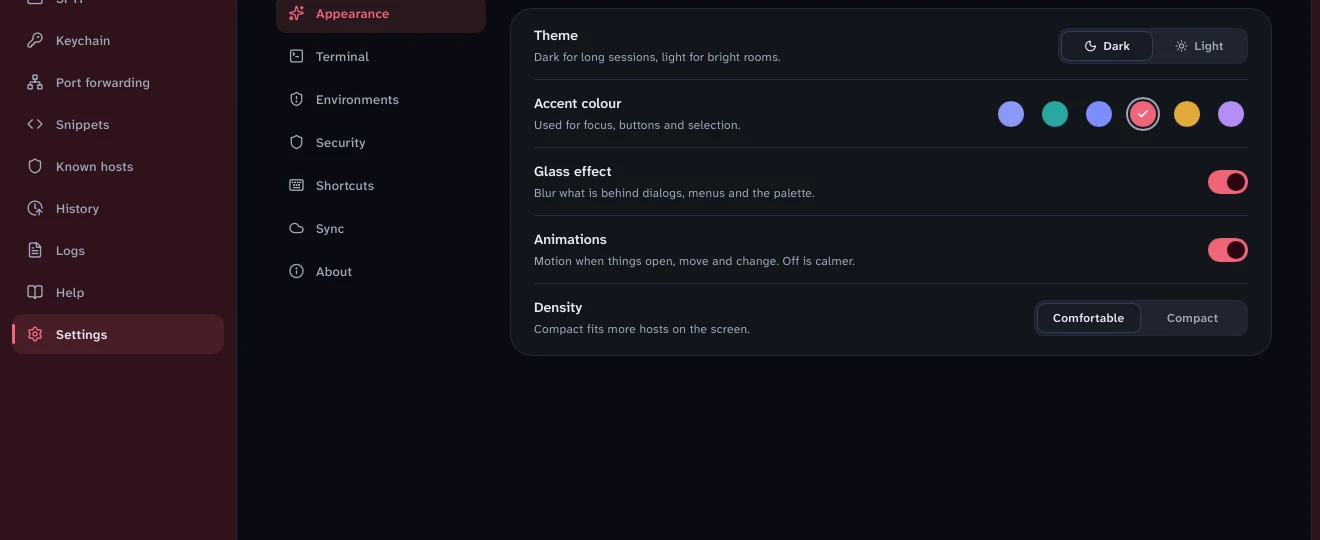
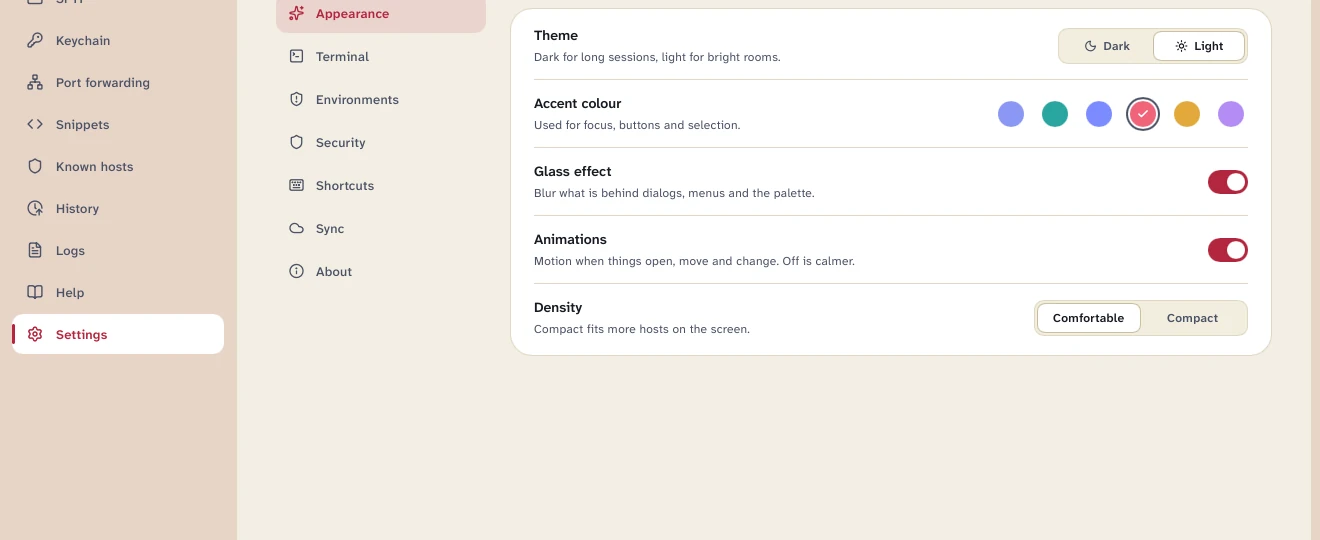
Both themes are tuned so terminal colours read true and text stays easy on the eyes. Pick your accent, soften or sharpen the glass, and tighten the layout when you want more hosts on screen.
Security and privacy
Darban is named for the person who guards the door. It is built so that your servers and credentials stay yours.
The vault uses Argon2id to turn your master password into a key and XChaCha20-Poly1305 to seal everything. Lock it and the secrets are gone from memory.
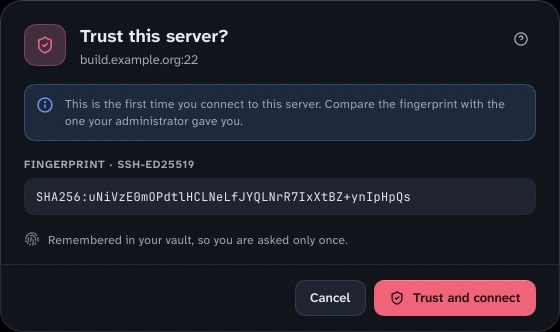
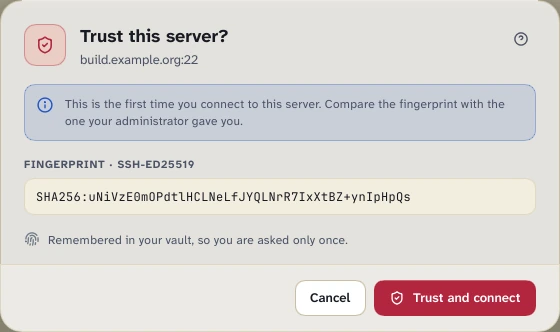
A server's key is verified before any password or key is sent. A new one is shown as a fingerprint for you to trust; a changed one is a loud warning.
No analytics, no crash reports, no account. Darban contacts the servers you pick and, once a day if you allow it, the download server to look for a newer version.
Download
Free to use today, with no sign-up. One download per system. Every file is checksummed and the checksums are signed.
macOS 12 or newer · Apple silicon and Intel
Download .dmgOne app for both chips
Windows 10 and 11 · 64-bit
Download installerSetup program
No installer wanted? Portable .zip
Debian 12, Ubuntu 22.04 and newer · x86-64 and ARM64
Download .deb · x86-64Debian package
ARM computer (Raspberry Pi, Ampere, Snapdragon)? ARM64 .deb
Other distributions are not packaged yet.
macOS: the first time, macOS says Darban was not opened. Click Done, open System Settings → Privacy & Security, and click Open Anyway beside Darban, then confirm with your password. You only do this once. (On macOS 14 and older, right-click Darban in Applications and choose Open instead.)
Windows: if SmartScreen stops the installer, choose More info, then Run anyway.
That is why the checksums below matter: check them before you run anything.
Every release comes with a file of checksums (SHA256SUMS) that lists a fingerprint for each download. That file is signed with Darban's signing key, so you can confirm it really came from the maintainers and nobody swapped a file on the way. The update checker inside Darban uses the same key, built into the app.
The public key (anyone may have it; it can only check signatures, never create them):
RWQWUGg7xH3d1N+ECFbwdxm/i4hwSfu8eyfTZRhTNimI6aJoDgF0ik6oKey ID D4DD7DC43B685016 · minisign.pub
Check it, step by step (version 0.1.4):
minisign -Vm SHA256SUMS -P RWQWUGg7xH3d1N+ECFbwdxm/i4hwSfu8eyfTZRhTNimI6aJoDgF0ik6o# macOS
shasum -a 256 -c --ignore-missing SHA256SUMS
# Linux
sha256sum -c --ignore-missing SHA256SUMS
# Windows (PowerShell): compare with the line for your file
Get-FileHash .\Darban-0.1.4-x64-setup.exeFingerprints for version 0.1.4 (SHA-256):
What's next
Darban is early. The parts above work today. These are designed and on the roadmap, and they are not built yet.
End-to-end-encrypted sync and shared vaults for a team, on a server you run. Nothing goes through our cloud.
Explains errors and suggests commands on your machine. It never runs anything without your approval.
Permissioned access to every server, short-lived credentials instead of long-lived keys, and session recording.
Questions
Darban is free to use right now, and you don't need an account. It is an early release, so pricing may change in the future. If it does, we will say so on this page.
No telemetry and no analytics. Darban connects to the servers you tell it to. If you leave update checks on (Settings → About), it asks the download server for the newest version once a day and nothing else; you can switch that off.
On your computer, in an encrypted vault. There is no cloud copy, so keep your master password safe and back the vault file up.
No. Darban is an independent project, written from scratch. It is not derived from, endorsed by or connected to any commercial SSH client.
Darban is Persian and Urdu for “doorkeeper”: dar, a door, and ban, the one who keeps it. The colours and patterns come from the Sindhi Ajrak, the indigo and crimson block-printed cloth.
Code-signing certificates cost money and need a registered publisher, and this is an early release. Until then the checksums and the signed SHA256SUMS are how you confirm a download is genuine.
macOS 12 or newer (Apple silicon and Intel), Windows 10 and 11 on 64-bit, and Linux on x86-64 and ARM64 (aarch64) as a Debian package for Debian 12 and Ubuntu 22.04 or newer.